Drowning in email? Try Inbox Zero to learn sane tips for dealing with high-volume email. And don’t miss the free Inbox Zero video. »
Register for free on 43 Folders to comment on articles, post to our forum, customize your visits, and much more. Current users can login now.
aTV Update Gives AppleTV FTP and USB Drive Support
Merlin Mann | Jul 25 2008
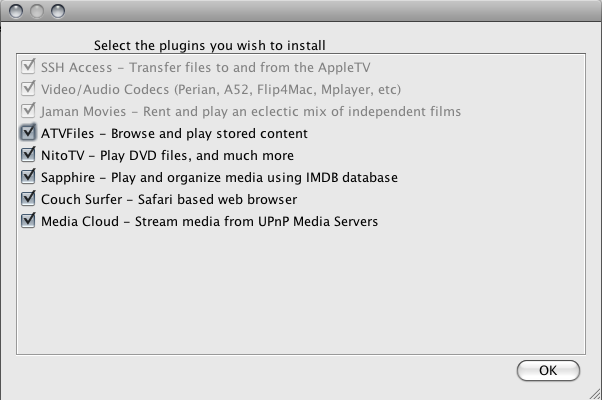
aTV Flash - Ver. 3.2 - Apple Core, LLC The 3.2 version of Apple Core’s patchstick for the AppleTV is out. And it’s pretty amazing. If you’ve never heard of the aTV, I’ll point you to the product page for all the feature details that turn your AppleTV into a tricked-out media center that runs an assload of codecs without PitA transcoding. And, yes, you will need to read the detailed instructions on how to make this work — there’s a lot of them and it’s not for the impatient or the faint of heart. For now, I just want to highlight why this particular release of this particular product has scratched such an itch for me.
The usual warnings and admonitions apply with this stuff. Apple Core says installing this product won’t void your AppleTV’s warranty; I have no opinion about that. I will say anything you do here is at your own risk. Don’t blame me if your TV blows up. Also, don’t “steal” anything; always pay retail…preferably at a really big store you have to drive to. For a while, I was on the fence about whether to use my Mac Mini as a media center (and basically pitch the AppleTV). The power is obviously there with a Mini, but I also didn’t want to deal with a keyboard and the other annoyances of using a proper computer as a TV device. I’ve been very satisfied with the aTV over the past few weeks I’ve had it, and this new version just takes it to another level. Even if the AppleTV ends up tanking as hard as everybody seems to claim it will, I’m grateful for the hobbyists and hackers who have made it easy for civilians like me to use this amazing device to its fuller potential. 24 Comments
POSTED IN:
Flash Drive SizeSubmitted by joelhousman on July 25, 2008 - 10:15am.
Is it imperative that you use a USB flash drive of 1 GB in size or less? I have a 2 GB drive. Do I need to go out and get a smaller drive? Thanks for the update Merlin! » POSTED IN:
Re: Flash Drive SizeSubmitted by kcmichaelm on July 25, 2008 - 11:07am.
The PDF states at the very beginning that >1 GB USB drives tend to have difficulty on an Apple TV. If I were you, I would imagine a $7 1GB USB stick (or a 99 cent 256MB one) is worth not risking the health of your Apple TV if it has an error reading in the middle of a firmware update. After it is done, you can use such a little stick as a boot device for a FreeNAS server :) All this “old tech” still has its uses. » POSTED IN:
1 GB limitSubmitted by dalton on July 25, 2008 - 11:14am.
I had a lot of trouble getting the whole flash drive thing to work when I installed aTV. The size of the drive is important, 1 GB seems to be the limit. More importantly, the brand of drive is very important too. I ended up buying three different drives before I could get the thing to work. In the end I got a 1GB Toshiba drive at the local OfficeMax that works like a charm. The aTV folks have a recommendation for a specific drive on their forum that is only $3, but I didn’t feel like ordering from some unknown company and waiting for it to arrive. That said, installing aTV once I got over that hurdle was a breeze, and the new software is indeed a huge improvement. Being able to drag and drop files instead of syncing them using Transmit is great, the extra features in Saphire are very nice. My AppleTV crashes every once in a while (something it never did before the installation), but it is not too bad and definitely worth the trade off. » POSTED IN:
Re: Flash Drive SizeSubmitted by Merlin Mann on July 25, 2008 - 11:48am.
Stick size definitely made a difference for me. Didn’t work the first time I tried it (on a 4GB stick). Picked up one of these guys and it worked swell. » POSTED IN:
Re: Re: Flash Drive SizeSubmitted by joelhousman on July 25, 2008 - 3:16pm.
Thanks Merlin & others for the info! » POSTED IN:
Transmit and SFTPSubmitted by heymac on July 25, 2008 - 12:57pm.
Don’t mean to be the big nerd on the block that sits around finding technical inaccuracies in blog postings, but I thought I’d mention that Transmit does do SFTP. I used that for my website syncing for some time. Now, I’m a Flow user (also does SFTP). Anyway, that might save you some Fugu/shell pain at some point in the future. Cheers! » POSTED IN:
To my knowledge it does notSubmitted by Merlin Mann on July 25, 2008 - 4:24pm.
To my knowledge it does not force SSH1, as I mentioned. That was previously a requirement of aTV. » POSTED IN:
SSH1Submitted by heymac on July 26, 2008 - 7:40am.
I guess I’m the big nerd that adds technical inaccuracies to blog posts:-) Sorry about that. I don’t actually have an AppleTV because it doesn’t play well with my old school CRT 4:3 HDTV. So, my opinion on this matter is less than definitive. Cheers! » POSTED IN:
Apple RemoteSubmitted by Superfly on July 27, 2008 - 8:51am.
Did you notice that with the new remote app on the iPod or iPhone you now can easily enter your configuration data, YouTube searches etc.? The little keyboard pops up on the iPhone/iPod everytime you need to enter something on your AppleTV. Very nice feature!
» POSTED IN:
Removing iTunesSubmitted by smanley on July 27, 2008 - 3:35pm.
Merlin, Given use of a USB source essentially removes iTunes from the equation don’t you think you’ll miss the media server function that it serves? Personally I find myself almost always going for the most compatible formats from Visual Hub nowdays so I can playback content on the AppleTV, my 3yo son’s iPod (yes I know…) or the iPhone. I find the initial pain of ripping the DVD/converting the avi and setting up metadata in Lostify is worth it in the end for the convenience of having all content sources from the same location. Just my 2 cents. Regards Scott » POSTED IN:
Re: Removing iTunesSubmitted by Merlin Mann on July 31, 2008 - 4:56am.
You still use iTunes if you want. I def. use that for Music and TV Shows and Movies I got on the iTunes store.. The ironic thing is with Sapphire and Nito I don’t need to do any movie transcoding (except in rare cases), which was a big pain before if I wanted movies to play nice with iTunes. » POSTED IN:
Stream unsupported formats?Submitted by benhinc on July 27, 2008 - 9:10pm.
I’m hoping Merlin or someone familiar with the aTV can answer this for me…. I see on the page for the aTV 3.2 that it offers “drag and drop” transfer of files between Mac and AppleTV but leaves the stock features of the device the same. So…it’ll still sync with my iTunes but I can also drop in files like AVI or VIDEO_TS and they’ll play - great. But my little Apple TV is only 40 GB so what I’d really like to be able to do is stream all those previously unsupported file formats. Preferably, tell the AppleTV where to look for them on my Mac (maybe a specific folder) and have all that available on the AppleTV no matter the video format. Is this possible or maybe something close to it? Otherwise I’m not keen on spending the $50. » POSTED IN:
Apple RemoteSubmitted by pedantik on July 28, 2008 - 5:13am.
Has anyone tried the Remote App with Couch Surfer? If so can you type url’s with your iphone/touch, I’m on the fence about which way to go… Mini or Apple TV. If you have tried this please speak up. » POSTED IN:
Not into Couch SurferSubmitted by Merlin Mann on July 28, 2008 - 5:35am.
Mmmm. I’m not sold on Couch Surfer. For me this is a “why I have a laptop” kind of thing. Also, ordering Papa John’s pizza from TV? Not so much. Seriously, tho, for me it’s two things:
» POSTED IN:
Hulu or Veoh on AppleTV using Couch SurferSubmitted by aqdrinker on July 31, 2008 - 3:35pm.
I was hoping for it… but, I can’t get it to work. I got Flash and the required frameworks on there just fine following some directions on AwkwardTV. But some text boxes just don’t accept input (empty after returning from the keyboard screen) and some links are unclickable with the cursor thing. So, I couldn’t actually navigate far enough in to play anything on either site. Free content with limited unskippable commercials seems to be where it’s at for Internet TV right now. I hope Apple is working on bringing these types of services to AppleTV. Either that or rentals (50¢/episode maybe). This totally undermines my comment below regarding the complexity of connecting a computer to a TV :) » POSTED IN:
PlexSubmitted by Josh43 on July 29, 2008 - 2:38pm.
You might want to try out Plex ( http://www.osxbmc.com/ ) on the Mac mini; it’s a fork of the OSX port of the very mature and open source XBMC, and it’s really coming into it’s own as one of the best media centres available. You can have it start automatically at boot, and they are looking towards smoothly playing 1080p content on the current generation minis. It also supports the apple remote. If it’s something you try out, make sure to test the following couple things: 1) Add the source of “/Volumes” - this lets you browse any folder, mounted or otherwise (even sshfs, etc) 2) Play with the Library function - All you have to do is open the menu on a sorted folder (“Movies”, for example), then set the content as movies and let it run a scan. Switch to library mode, and enjoy the automatic power :) » POSTED IN:
Plex--yeah!Submitted by scruffy on July 29, 2008 - 4:28pm.
i don’t understand Merlin’s comment about the other annoyances of using a computer with a tv. there’s certainly nothing annoying about sticking an .mkv file on one of several drives connected to a mini and playing it back via Plex with the Apple remote. or a drive of VIDEO_TS folders. or making a Hulu Fluid app. or recording HD programs on an EyeTV. i don’t even keep a keyboard in the room although i do have a wireless mouse in addition to the remote which is enhanced with Remote Buddy. the only thing that would be slicker would be a terminal app for my unjailbroken 2.0 original flavor iPhone so that i could ssh into the mini without having to go to one of my other machines. at this point i don’t think there is anything that Apple or the hackers could do to make me want an Apple TV short of discontinuing the mini. » POSTED IN:
yeah I don't understand it eitherSubmitted by aqdrinker on July 29, 2008 - 7:27pm.
Once you get the right DLT connector and install Hoink to transcode your videos to a lossless format like SNACK you are good to go. Just don’t forget to setup a capture jar to snag all those videos you’ve been grabbing off of plickstream (sigh, but you have to install the plicksnagger FF extension to strip the DRM). Anyway, that’s about it… oh right, just enable UBnC on your router so you can KNX in from your laptop. » POSTED IN:
The geeky tech jargon attacks!Submitted by Josh43 on July 30, 2008 - 6:50am.
Very cute Don’t forget the uffish terminal apps that really make things “easier”; snicker-snack.app, Callooh_Callay v.2, etc » POSTED IN:
Re: yeah I don't understand it eitherSubmitted by Merlin Mann on July 31, 2008 - 4:58am.
You totally win with this one. :-) » POSTED IN:
Drive In?Submitted by Runzarex on August 1, 2008 - 2:55pm.
Hi Merlin, On Macbreak Weekly you were talking about this and implied that you could use it to install regular mac apps. Would that work for something like Flip4mac’s Drive In? http://www.flip4mac.com/drivein.htm Seems to me that it might work, because the Nito TV wiki talked about installing a DVDplayback framework, then if Drive in were taking care of the disc images, you’d be golden. Thanks. » POSTED IN:
Capturing Streaming Video for ATVSubmitted by gary735 on August 4, 2008 - 7:42am.
Thanks for your MacBreak discussion and this blog for the AppleCores solution for ATV. Installing today. Along that line, NBC is planning to stream video of Olympic events. I am looking for a Mac solution to capture streams, then postprocess via Visual Hub and view via ATV. I’ve tried Snapz proX, which does the job but the files are huge, 30 GB for 30 minutes of video. Thanks, » POSTED IN:
aTVFlash v3.2 tipsSubmitted by techydude on August 6, 2008 - 6:06pm.
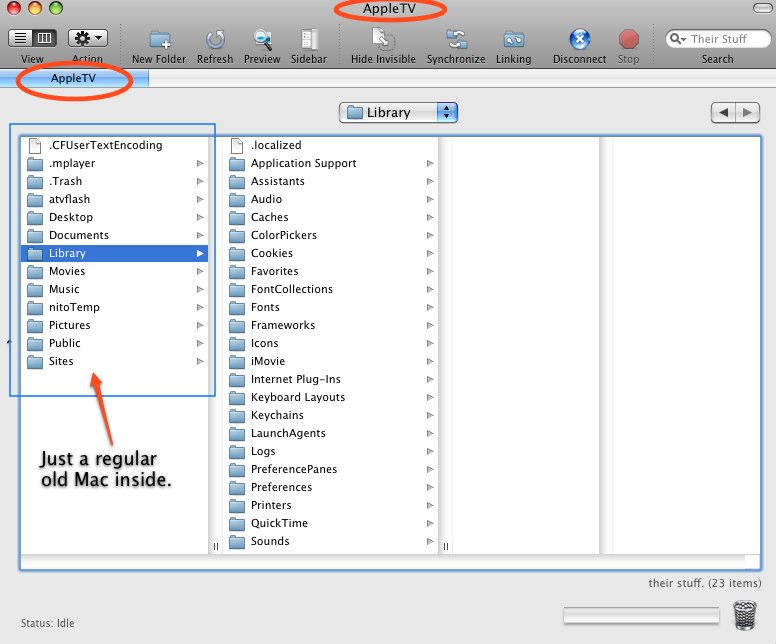
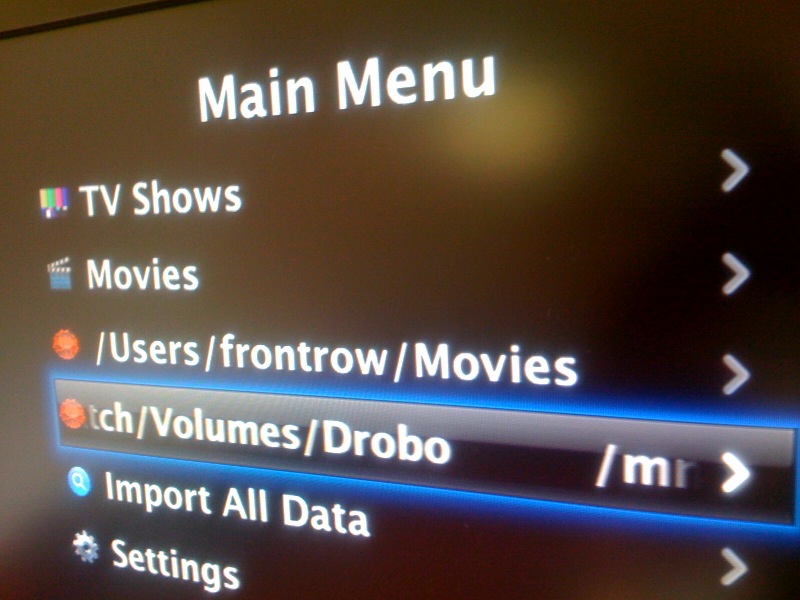
just did aTVFlash v3.2 last weekend - awesome. i used a 2GB Sandisk Cruzer ‘Colors+’, worked fine. you can use iTunes just the same, or play content from ‘other sources’ - you select on the AppleTV menus which ‘application’ to use - Music, Videos, Podcasts, etc, for iTunes content + “DVD” (aka nitoTV), “Files” (aka ATVFiles), ‘Media’ (aka Saphire’) for non-iTunes media - whether it’s on the AppleTV’s hdd, on a USB drive plugged in (OMG i was wondering if Drobo would work!), or even on a AFP/SMB network share from any other computer. there’s one catch with the AFP/SMB stuff. the nitoTV installer is capable of enabling that, but you’ll need either: (a) an original v1.0 AppleTV (i.e. the version before Youtube) whose ‘recovery partition’ still contains the original v1.0 recovery image (software updates never change this) or (b) go find this recovery partition image out there on the net somewhere. after that the instructions for doing it should work. i can now drag-n-drop media even via Finder onto my AppleTV, then play it with nito/etc. brilliant! » POSTED IN:
Logging Into Apple TVSubmitted by srivard99 on August 7, 2008 - 4:20pm.
So I have AppleCore’s patchstick and I’ve installed it onto my aTV but how the heck do I actually FTP into my aTV? What is the username and password I’m supposed to use? Any info on that would be appreciated. » POSTED IN:
About Merlin MannBio Merlin Mann is an independent writer, speaker, and broadcaster. He’s best known for being the guy who started the website you’re reading right now. He lives in San Francisco, does lots of public speaking, and helps make cool things like You Look Nice Today. Also? He looks like this, answers questions, and has something like a life. |
|
| EXPLORE 43Folders | THE GOOD STUFF |