43 Folders

43 Folders feed subscription icon - Shiny! Drowning in email? Try Inbox Zero to learn sane tips for dealing with high-volume email. And don’t miss the free Inbox Zero video. »

”What’s 43 Folders?”
43Folders.com is Merlin Mann’s website about finding the time and attention you need to create your best work. »

Vox Pop: What default settings would you change?

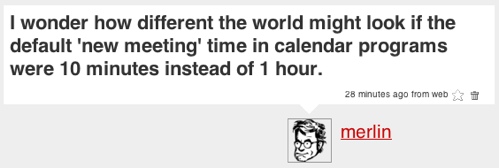
As I am wont to do, I was thinking out loud on Twitter this morning.

Twitter message: 'I wonder how different the world might look if the default 'new meeting' time in calendar programs were 10 minutes instead of 1 hour'

I’m convinced that, for better or worse, a lot of computer-related habits come straight out of using the default settings. For example a stock Mail.app install checks your email every 5 minutes (I reset mine to ‘Manual’) and, without interdiction, Apple’s mail program will also create all your new messages as “Rich Text” (Nuh uh. Mine? ‘Plain Text’).

And then, in some cases, even if you want to do things differently, you have to swim upstream to do so. In the case above, I can’t set iCal or gCal’s default to anything but 1 hour (any more than I can autoset multiple alarms1). God only knows what poor John Gruber would give to have Mail.app more easily let people quit top-posting.

The Question to You:

What default settings would you love to change in popular applications? Taken a step further, what excellent habits could be taught to users by looking at defaults as something beyond familiarity and day one ease-of-use? Could the aggressive use of smart or personalized defaults create a generation of short-meeting-makers and intersperse-responders?


Comment viewing options

Select your preferred way to display the comments and click "Save settings" to activate your changes.
Zac's picture

I know I'm late to...

I know I’m late to the party, and this is perhaps a bit meta.

But I have enviously seen the way that mutt (unixy mail reader) handles its configuration: most settings can be set to yes, no, ask-yes, or ask-no. The last two allow prompting, with the corresponding default!

My single change to “default settings” would be to change all applications to offcr this kind of setting wherever it is meaningful to do so: let me set the default value, and let me also decide if I want to be prompted to modify it on a case-by-case basis. This should be the “default” methodology for application developers.

On an unrelated “note”, I would like the default ringtone on cell phones to be “vibrate”, and the default audible ringtone to be a simple low-volume, low-frequency “ring”. I can’t bear the stupid Nokia tune.

Sami Tikka's picture

I always set web browsers...

I always set web browsers to start with an empty window. I hate it when they open some lame start page by default. When I open a new browser window, it is because I want to open a certain web page, not wait a few seconds for the lame start page to load and render.

Sure, with some browsers you can move focus to address field and start typing even when it is loading and rendering, but sometimes the browser is sluggish or might even hang for a few seconds.

What really drives me up the wall is when I start typing the URL I want to go to and in the middle of that the browser finishes loading the start page and REPLACES WHAT I HAVE TYPED with the address of the start page!

Joe K's picture

I wish there was a...

I wish there was a default character limit on emails- that’d change things- real quick.

SuperSteve's picture

Every car's computer should be...

Every car’s computer should be programmed to flash the headlights when the owner locks the doors with the remote. Why on earth is the default set to blast the horn?

Pauley's picture

Not really productivity related (unless...

Not really productivity related (unless you count lost time powering your computer back on), but I always make sure, on portable computers, to change the power settings so that closing the lid doesn’t dump the computer into standby. There’s many an occasion that I need to drop the lid but need to keep the computer running.

— Pauley

Steve's picture

'Reply All' should not be...

‘Reply All’ should not be so prominently displayed in every envelope by default. We should make this a tad more effort causing folks to think about it for a second before blindly replying to all when it’s often not nessassary.

jon deal's picture

Because it is always fun...

Because it is always fun to pick on the Finder:

“Always open folder in a new window” should be the default behavior.

And Safari:

Tabbed browsing on by default.

Joseph's picture

I would set Office to...

I would set Office to only copy text (not formatting) by default.

Joel Davis's picture

For a quick demonstration of...

For a quick demonstration of the power of the default setting, just do a web search for “Untitled Document”.

Rob F's picture

One of the first things...

One of the first things I do with a new Outlook setup is to remove the “Reply to All” button from the main screen. If I want to reply to all, I simply open the relevant email, where the “Reply to All” button remains.

This avoids the perennial problem of replying to all by mistake, plus it makes me ask myself each time “do I really need to reply to everybody, or just the sender?”

And personally I remove the envelope icon and minimise to tray. I have icons on my desktop for new mail, new calendar item, new note, etc. So I can do a lot of things in Outlook without being distracted by incoming mail - until I choose to see it.

Egypt Urnash's picture

Illustrator: I'm really sick of...

Illustrator: I’m really sick of having to double-click on the ‘pencil’ and ‘brush’ tools and turn off either ‘keep selected’ or ‘edit selected’ to make them usable. One or the other works fine, but having them both on (as is the default) makes these tools absolutely useless.

Photoshop: I gotta agree with Brad about apple-Z/shift-apple-Z not defaulting to ‘forwards/backwards in history’.

Flash: And what’s with Flash thinking ‘apple-Y’ makes sense for ‘redo’? Every other program I’ve used in my life uses ‘shift-undo’ for ‘redo’.

Is the Mac screengrab still defaulting to PDF? I can’t remember.

Ben's picture

@ Jesse Slightly off topic, but...

@ Jesse

Slightly off topic, but why set the default space after a period to two spaces? I was under the impression that this was outdated since typewriters and dot matrix printers went by the wayside.

Does anyone else follow the “two space” rule anymore?

Szymon Blaszczyk's picture

Everytime somebody calls (phone, skype,...

Everytime somebody calls (phone, skype, whatever) should have to decide: leave a message OR talk… with “message only” as a default.

The same applies to IMs. Chat = talk. It’s not hyper-important - USE mail.

Stephen's picture

I wish my 1 month...

I wish my 1 month old MacBook (my first Mac ever!) defaulted to ‘works’ instead of ‘works for a minute then shuts down’ :(

Dennis Wurster's picture

Can someone please explain to...

Can someone please explain to me why applications have different keystrokes to show me the “most important” window for the app?

Examples:

Mail.app: Command+1 opens a mail viewer window iChat: Command+B opens the buddy list

Then the number of modifiers increases: iTunes: Command+Option+1 to show the iTunes window

For some apps, there’s no way to bring the app’s main window to the foreground. iCal: no keyboard shortcut for iCal’s window. iMovie: Windows menu has “Bring all to front”, but no keyboard shortcut.

For others, there’s not even a menu item in the Windows menu! iPhoto: Windows menu, but no “show me the iPhoto viewer window”

Todd's picture

Mail format -> plain text Emoticons...

Mail format -> plain text Emoticons -> off Windows Explorer view -> details Windows Explorer -> do not hide file extensions Email receipts -> never request, never send Cookies -> ask Third party cookies -> don’t even bother to ask Browser history -> this session only Text editors -> tab = 4 spaces, scan and replace on load

system font -> webdings (er…wait…)

Oh, and email clients should check the to: and cc: fields of outgoing mail. If more than one domain name is found, all addresses should be moved to bcc:.

Arjun Muralidharan's picture

I think what really bugs...

I think what really bugs me with certain apps is where it downloads stuff. Usually everything feels comfortable with just pooping on my desktop.

I think this might change with the default “Downloads” folder coming up in Leopard, but will Applications follow suit and actually default their apps to use that folder?

We’ll see.

Wally Hartshorn's picture

This isn't exactly a default...

This isn’t exactly a default (because we can’t change it), but I would dearly love to see the “Subject:” input box in email programs displayed BELOW the text area where you enter the body of the message. It seems that 99% of the email I receive has appallingly uninformative Subject lines, such as “Question” or “Web Site”. As any writer will tell you, one of the hardest things to write is the first line. Quite often, when I start writing an email, I’m not entirely sure what I’m going to say. Also, I quite often end up writing about more topics than I originally intended. Asking the user to create a title for their email AFTER they’ve written it would result in much more useful subject lines.

Nat's picture

Tables in Word should have...

Tables in Word should have “allow row to break across page” set off to default, not on. Every single time I have to turn it back.

Paul's picture

I wish I could remember...

I wish I could remember all of the details, but Adium is a wonderful IM program, once you’ve spent several hours configuring the damn thing.

What I remember most clearly was that notification was a constant nag. Every time a friend dropped on- & off-line I’d be interrupted. After installing Growl, and progressively turned off various notifications, it’s finally where I’d like it to be.

Actually, a lot of Growl-ready apps default to notifying you about every little thing - they’re flashing and they’re beeping. I can’t stand it anymore! They’re blinking and beeping and flashing! Why doesn’t somebody pull the plug?

Brad Blackman's picture

I wish Adobe Photoshop would...

I wish Adobe Photoshop would bring back Cmd-Z and Cmd-Shift-Z as the default keyboard shortcuts in “Step Forward” and “Step Backward,” respectively. Using the History palette to do the same thing is tedious.

Fraser Speirs's picture

Personally, I would make all...

Personally, I would make all presentation software default to a blank slide when you add a new one. Who knows what the world would be like without ‘title and bullets’ being within easy reach?

Philip Sternberg's picture

Two email features: Once more than...

Two email features:

Once more than five recipients are in the TO or CC field, move them to BCC unless the user takes action. In fact, many email clients go out of their way to hide BCC, so lots of folks don’t even know it’s there until someone educates them.

We’ve all gotten those 2 megabyte photo attachments from well-meaning relatives who want to share their harvest festival celebration with the whole family. Of course, the better behavior is to post it on the web and send a pointer, or shrink it down. Some email clients do something like this automatically, but there’s a lot of room for improvement here with default behavior.

Eric A's picture

iPhoto's slideshow default of the...

iPhoto’s slideshow default of the “Automatic Ken Burns Effect” is one of the most annoying things on my Mac. Even after I turn it off and then select a new group of photos for a slideshow, there goes that darn Ken Burns effect showing just the top of someone’s head sliding across the screen or staring with the lower legs and zooming to their shins. Worse yet are the midriff shots… especially when your midriff isn’t quite up to being examined up close and personal! If I want to see pictures sliding nauseatingly across the screen, I’ll turn on PBS.

Dom Barnes's picture

Ok, you get a new...

Ok, you get a new Macbook/Pro/iBook/Powerbook. You move the mouse to the first button when you run setup first time. You tap. Nothing happens. You click the mouse button and “Success”. Trackpad clicking right out of the box. First thing I do. And tabbed browsing in Safari. And get rid of the language menu bar item.

Youlay's picture

I would add as default...

I would add as default Firefox Extenshion “Faviconize Tab” - to create shorter tabs. The same thing would be great in Windows task bar (so there is still a space when you have 10 windows open)

Apple's picture

Get rid of reply to...

Get rid of reply to all button in email

Apple's picture

And even more important: Change...

And even more important: Change the default ringtone of cellphones to something subtle and make it really hard to change it …

James Ledoux's picture

I'd like to see a...

I’d like to see a default “dynamic message quota” to be set up by the following quotas:

1) user limit 2) daily limit 3) weekly 4) monthly 5) content driven - chain letters and ROFL = auto delete

While I’m sure I exceed my quota sending Merlin e-mails this would be very helpful.

The quota message would read:

“You have exceeded your daily limit of e-mails to X. Please revise the list of lined up e-mails below and use your quota wisely.”

If this seems to fascist then how about an interactive Netfilx-like star rating system. You could rate e-mails received with a click and this would be sent back to the sender. Avoids the time-consuming/awkward “Dude stop sending me crap” e-mails…

James Ledoux's picture

I'd also change the default...

I’d also change the default Wordpress setting so that you can edit your own comments…ugh typos. I’m going to klil myself nwo.

About Merlin Mann

Merlin Mann's picture

Bio

Merlin Mann is an independent writer, speaker, and broadcaster. He’s best known for being the guy who started the website you’re reading right now. He lives in San Francisco, does lots of public speaking, and helps make cool things like You Look Nice Today. Also? He looks like this, answers questions, and has something like a life.

 
EXPLORE 43Folders THE GOOD STUFF

An Oblique Strategy:
Distorting time


STAY IN THE LOOP:

Subscribe with Google Reader

Subscribe on Netvibes

Add to Technorati Favorites

Subscribe on Pageflakes

Add RSS feed

The Podcast Feed

Inbox Zero

The original 43 Folders series looking at the skills, tools, and attitude needed to empty your email inbox — and then keep it that way. Don’t miss the free video of Merlin’s Inbox Zero presentation.

Making Time

3-part series on attention management for artists and makers. Read Bad Correspondence, The Job You Think You Have, and One Clear Line.