Drowning in email? Try Inbox Zero to learn sane tips for dealing with high-volume email. And don’t miss the free Inbox Zero video. »
Register for free on 43 Folders to comment on articles, post to our forum, customize your visits, and much more. Current users can login now.
Guest: Mike Harris looks at "Remind"
Merlin Mann | Feb 24 2005
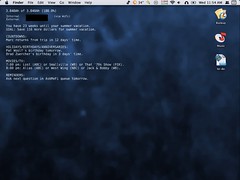
How much do I love my readers? So much. Mike Harris very kindly sent me a suggestion about having a look at Remind, a swell little Unix program for doing CLI stuff to give yourself, well, reminders. It’s really quite powerful, that. Despite my initially flipping the bozo bit by asking for technical support about installing Remind, Mike responded with one of the most useful emails I’ve received in a year. So good, that I asked him to move a couple things around and turn it into a full-length guest feature for 43 Folders. So he did. Many thanks, Mike. I’m still getting my head around a lot of this, but already see many uses for this. Fellow Unix noobs: this looks like a pretty good first project, eh? Remindby Mike Harris I’ve found a lot of the advice on 43 Folders useful (particularly the Quicksilver append trick and the mere concept of plain text being a lot more simpler of a mechanism to handle ‘to do’ lists), but had continually run into a problem — I hated having to deal with what I felt were bloated, inefficient GUI calendaring programs. I thought to myself, “Surely, with Unix having been around for a few decades by now, someone’s figured out how to have this done in plain text.” Sure enough, I was right. Roaring Penguin is currently the caretaker of an open source project that has, in one form or another, been around since 1988, called Remind. Remind is a Unix-driven calendaring program of great flexibility and power, but, better yet, for the most part, it works with the command line and with plain text. With the deliciousness of Mac OS X, though, you can integrate it into your background processes and GUI with very little effort and splash. Installation In order to install Remind, you’ll need to download the package (available here) and go through the usual three Unix installation commands of (Update 2005-02-25 08:09:13: James Rifkin mentions his OS X installer for You’ll also need to create an invisible text file in your Home directory called Entering in Your Calendaring Events The one key to remember is that almost every single entry in That statement will show that particular event on May 5, 2005. Always Useful Tip #1: Warning Yourself in Advance Would show “My dog’s birthday in 7 days’ time” on May 1, etc. It’s even smart enough to do “1 day’s time” instead of “1 days’ time”. Always Useful Tip #2: Recurring EventsThere are two very easy ways to handle recurring events. First, leaving out information will cause the task to apply more generally, i.e., leaving out the year will cause it to repeat every year, and leaving out the month will cause it to repeat every month. For example: Or, if you need something to repeat every That would remind you every 30 days to refill your prescription from the pharmacy, beginning February 23, 2005. Always Useful Tip #3: Keeping Your Text Files NeatYou can also do ‘includes’ with other text files so that you can keep events segregated, e.g., all your birthdays in one text file, all your anniversaries in another, all your financial deadlines in a third, all your favorite T.V. shows in a fourth. All you do is put: in the appropriate spot. I find it useful to have a “master” reminder file formatted the way I like it, with my birthdays, anniversaries, financial deadlines, and holidays separated into separate files, and an “active” file that I usually work out of for the more changing events. Always Useful Tip #4: Just Weekdays, PleaseHow do you do things like a payday where it’s the 15th and the last day of the month, but not weekends? Semi-Complex Tip: Date-Based MathYou can do date-based math with Remind. Going on a family vacation, and you want to remind yourself every day of how many weeks you’ve got left, and how much money you can save before then? I hadn’t originally realized that Remind could do this, but David Skoll at Roaring Penguin helped me work out how Remind could work in weeks, instead of days. From there, it’s a quick math problem to apply it to pounds to lose, dollars to save, and so on. These lines, for example, are in my Remind file: Then, you can simply say: Schweet, huh? Edit 2005-03-03 21:49:32: Keep in mind, however, that Remind can only handle whole numbers in such math equations. No decimals. Actually Viewing Your CalendarOK … now that I’ve actually entered in all this crap, what the heck do I do now? It begins very simply. Once you’ve entered in your calendaring information, all you need to do is type Looking at Other Days You can generate your ‘datebook’ for other days by simply typing will give you tomorrow’s calendar. will give you yesterday’s calendar. Making It Work with the MacHow do you get this to interact with the GUI, if you don’t live your life in the Terminal? You can use GeekTool, which lets you display the output from Unix (and other items as well) on the Desktop. I use it to show a battery script, my IP information, and my Remind output on the desktop, updating every 5 minutes, as you can see in the screenshot above. You can also install TCL/TK for Mac OS X, and then use the The reason I turned to Remind is that it is entirely a keyboard-driven process with no GUI. Because of that, it is incredibly quick, and the Quicksilver append trick I spoke of above allows you to “append” events to your Other Views Remind features command-line switches that will let you look at your reminders in different ways. You can use When you start generating calendars, you may notice a problem. When creating your calendars file, you may find that you want to subdivide it into categories, like the screenshot. You can do that by just using MSG, without a REM statement, like: But, the problem with this is that “Birthdays:” will also show up on the calendar. How do you avoid this? You can append would show up on your daily display, but not your calendar. Likewise, you can generate a blank line by: Note that there are two spaces between the Aside from generating the calendar in text, you can also generate it using HTML or Postscript. You do so by “piping” the output through one of two programs that come with Remind, ConclusionThis sounds incredibly complex, doesn’t it? In actuality, it’s really very simple. I love the fact that I can jump into a text file and type out a quick line (or, once I work out exactly how I want to do it, through Quicksilver’s append function) without having to wait for iCal or Entourage’s interface to load, which, on my iBook G3, is slower and often lets me lose the thought before I get it open. Remind lets me do it easily, quickly, and unobtrusively. If you’re a power user that already is champing at the bit to go further, keep in mind that Remind has a lot more power under the hood than described here. Even I’m a Remind newbie. Remind can handle timed notifications, its output can be piped through Growl, and so on. This article barely scratches the surface of what Remind can do — this baby has a lot more horsepower under the hood. If you want to learn more about Remind than spoken here, the first thing to do is to read its man page (installed on your system when you installed Remind) from start to finish. After that, three places to get a little more information are Linux Journal’s article “Remind: The Ultimate Personal Calendar,” MacDevCenter’s “Unix Gems for Mac OS X,” and the Remind-Fans mailing list. Check them out! P.S. By the way, while I’ve got the mike, let me say that as a keyboard-oriented person, I’ve learned to love Butler creator Peter Mauer’s Witch, a window-specific application switcher, and Mailsmith, which is a fantastically powerful e-mail program with strong filtering and script support. P.P.S. Leave me a comment here if you run into problems! I can’t promise immediate or knowledgeable responses, but I can promise to help. Thanks a million, Mike. That was great! Grab a 12-pack and a Hipster PDA out of petty cash. Got a good recipe for Remind that you want to share? Post to comments or trackback. 41 Comments
POSTED IN:
![]() Jonathan, thanks--if the developer's stuff...Submitted by Timmy (not verified) on February 25, 2005 - 3:42pm.
Jonathan, thanks—if the developer’s stuff is indeed a reqirement, then that would explain a lot about why this doesn’t seem to be working. (And that should be among the very first things in any installation instructions.) Unfortunately, with a 3GB hard drive, I don’t have room to install the developer stuff. There were other installations of Unix things that I needed in the past that required that and it took up too much space. However the latest install instructions for those items somehow let me get around that with Fink and Fink Commander. So if there’s a way to install Remind with out installing the many MB of developer stuff that would be really helpful. Merlin, I’m not sure you understood my problem—I wan’t able to complete the “3 steps” to begin with. The thing is, one of the things your blog is very good at is bridging the gulf b/w the techno-elite and everybody else with a view to helping people do stuff faster. If indeed you have the broader audience that I supsect, an installation of this evidently great software should not have to begin with a long open-ended Google quest. That’s exactly the bone I’m trying to pick here. My gratitude goes out to the generous Unix folk—I wouldn’t be pursuing this if I didn’t think they had in some way seen the light. » POSTED IN:
Timmy: I'd prefer to respond...Submitted by Merlin Mann on February 25, 2005 - 3:55pm.
Timmy: I’d prefer to respond to this offline but you didn’t use a real email when leaving your comment. Please email me at public at this domain if you’d like a response and some more help. Thanks. » POSTED IN:
![]() Timmy, If it can't find cc...Submitted by jmb (not verified) on February 25, 2005 - 4:49pm.
Timmy, If it can’t find cc or gcc, then you don’t have a compiler. As Jonathan indicated, you need to install the Developer’s Tools. » POSTED IN:
Anybody have a good hack...Submitted by Merlin Mann on February 25, 2005 - 4:58pm.
Anybody have a good hack for Timmy to get just what he needs without installing the whole Developer CD? That’s a pretty big chunk of real estate on older Macs. :) Just if you know. Maybe Pacifist, that selective package grabbing app could help? » POSTED IN:
![]() I've been having some success...Submitted by alex dante (not verified) on February 25, 2005 - 5:09pm.
I’ve been having some success piping remind’s output to a gnome desktop using torsmo. I couldn’t think of a more elegant way than templating the torsmo config & embedding the remind output directly into it but it works :) The tip for including actions is very cool but I’m hitting some non-intuitive behaviour. If I call remind directly from the shell, I get: alex@nietzsche:~ $ rem Reminders for Saturday, 26th February, 2005 (today): Call family. Leaving for Europe in 112 days’ time. Action 1. Action 2. But if I direct that output into a file, it’s different: alex@nietzsche:~ $ rem > rem.out alex@nietzsche:~ $ more rem.out Action 1. Action 2. Reminders for Saturday, 26th February, 2005 (today): Call family. Leaving for Europe in 112 days’ time. The actions are now listed before the reminders, which is not how it looks normally. Does anyone have any ideas? » POSTED IN:
![]() OK, I finally got the...Submitted by Matt (not verified) on February 25, 2005 - 5:40pm.
OK, I finally got the make install to work. But, now I’m stuck. The below is three commands I tried to run with their error messages. » POSTED IN:
Ooo...this is sweet. "rem -g"...Submitted by Merlin Mann on February 25, 2005 - 2:52pm.
Ooo…this is sweet. “rem -g” will display your events, sorted by time/date. I note in the help:
Hmmm…I need to look at how you apply “priority” in “.reminders” » POSTED IN:
@Margaret: I also throw a...Submitted by Merlin Mann on February 25, 2005 - 2:47pm.
@Margaret: I also throw a few SF webcams in mine: » POSTED IN:
Good questions, all, electroglodyte. Hey,...Submitted by Merlin Mann on February 25, 2005 - 2:45pm.
Good questions, all, electroglodyte. Hey, kids, let’s all maybe start digging around for a few super-easy tutorials on this stuff—on getting Unix stuff running on a Mac. Devtools, Fink, install tutorials, etc. MacDevCenter maybe? I’ll look around a bit this weekend, and I’d appreciate it if a few of the beardy wizards out there would consider doing the same. I’m sure this must exist someplace (I’m dashing in a bit and can’t look myself just now. :) ) » POSTED IN:
![]() I hope the Unix-experienced folks...Submitted by electroglodyte (not verified) on February 25, 2005 - 2:39pm.
I hope the Unix-experienced folks will forgive me some embarrassingly basic questions, and perhaps someone can even point me to a good site or FAQ where such things are explained. Okay, now, extremely basic: • do I need to install the OS X developer’s stuff to get to square one with using Remind? • how do I add /usr/local/bin to my PATH? • how do I navigate through the hierarchy/folders/paths in Terminal/TCSH? How do I get to see something like a directory? Told you this was extremely basic… my apologies in advance. All the rem commands that Mike described seem perfectly easy to learn, but it’s just getting to square one where I’m stuck. » POSTED IN:
![]() Timmy, you must install the...Submitted by Jonathan Feinberg (not verified) on February 25, 2005 - 2:25pm.
Timmy, you must install the OS X development stuff in order to build software from source. The developer’s CD came with your copy of OS X. » POSTED IN:
![]() Remind looks fabulous, but the...Submitted by Margaret (not verified) on February 25, 2005 - 2:37pm.
Remind looks fabulous, but the app I really got out of this post is GeekTool. Amazing! I’d seen it at work on my friend Phil’s Power Book, but didn’t know what it was. For those less suited to the command line (like me) it might just be best to use GeekTool to keep TODOs out there on the desktop. I use Now Up-to-Date for my calendar and dated TODOs, but being able to unclog my TODO flow by throwing a quick text file with nebulous, not-sure-when-they’re-going-to-get-done TODOs on the desktop is excellent. It keeps them in my face, which is really the prerequisite for me in order to get them done. Another nice feature is the ability to throw images on the desktop—I’ve never been great with photos in actual frames. This way I can keep photos of my family on my desk so I don’t forget what they look like while I’m off in college land. :) » POSTED IN:
@Timmy When you're done with the...Submitted by Merlin Mann on February 25, 2005 - 2:20pm.
@Timmy When you’re done with the three steps, I believe you put the remind file in “/usr/local/bin”. I’d leave it to more experienced folks to flesh that out or point to a canonical tutorial. I do not know why you’re getting that error, but I’d try Google to start. FWIW, I also think you’ll find most people, including all these incredibly gracious and helpful Unix people, will respond better to a simple, well-researched request than they will to a sarcastic tantrum. It’s tended to work that way in my experience, anyhow. Hope this has been helpful. » POSTED IN:
![]() A rant of sorts. ...Submitted by Timmy (not verified) on February 25, 2005 - 1:48pm.
A rant of sorts. Here is what I hate about Unix-related stuff. It’s the same old story. You get suckered into the sugary narrative about how bloated and fat GUI stuff is and get sold on the power and flexibility of command-line stuff. You decide to take the plunge, although your knowledge of Unix is, like mine, extremely thin—you’ve only used on a rare, as-needed basis. But you decide to go for it, sold on the “power and flexibility” business. Then, as soon as you start following the super-simple installation instructions, you feel like a total idiot, because the instructions leave out the most basic stuff. So, could someone please tell me where to put the “remind-03.00.22” folder once it’s been decompressed and sitting on my desktop? Could you then tell me what directory I should navigate to in Terminal before executing those 3 super-simple Unix commands? Could you also tell me why when I enter “./configure” I get: checking for gcc… no checking for cc… no configure: error: no acceptable cc found in $PATHWow—that was so simple! (Could’ve entered 100 reminders in iCal by now.) And I don’t want to use an installer version because I want to learn something. Thanks. » POSTED IN:
![]() Rebort, I appreciate the link,...Submitted by Mike Harris (not verified) on February 25, 2005 - 1:42pm.
Rebort, I appreciate the link, but it was already in the article. See? :) » POSTED IN:
![]() Massively useful. Thanks Merlin....Submitted by Daniel Von Fange (not verified) on February 25, 2005 - 11:57am.
Massively useful. Thanks Merlin. » POSTED IN:
![]() Here's an overview by Remind's...Submitted by Rebort (not verified) on February 25, 2005 - 12:54pm.
Here’s an overview by Remind’s creator at the Linux Journal. Includes info on multi-language support, advanced scripting, GUIs, etc: http://www.linuxjournal.com/article/3529 » POSTED IN:
Okay, this one’s meta-nerdy, but...Submitted by Merlin Mann on February 25, 2005 - 11:47am.
Okay, this one’s meta-nerdy, but here goes. If you use Textmate, make this a snippet with a trigger of “rem” and “TAB”
That autopops today’s date for the event (with the date selected for easy changing); tab once to type in the message area; tab again to land on the end of the line (where I added a new line break in mine). Fast. » POSTED IN:
Okay, Matthew takes the pot...Submitted by Merlin Mann on February 25, 2005 - 9:34am.
Okay, Matthew takes the pot with that one. This is suddenly a really amazing application. » POSTED IN:
![]() Response to IV: Don't use...Submitted by Dethe Elza (not verified) on February 25, 2005 - 10:08am.
Response to IV: Don’t use sudo to copy the files into your PATH! No-one but Apple should be installing into places like /usr/bin, that’s what /usr/local/bin is there for. Add /usr/local/bin to your PATH instead. » POSTED IN:
![]() A couple ideas for integrating...Submitted by Matthew M. Boedicker (not verified) on February 25, 2005 - 9:24am.
A couple ideas for integrating with a text todo list: every Saturday print the last 5 lines of my todo listREM Saturday RUN tail -n5 /home/mboedick/todo every Saturday print a random line from my todo listREM Saturday RUN perl -e ‘srand; rand($.) < 1 && ($it = $_) while <>; print $it’ /home/mboedick/todo The perl one-liner for getting a random line from a file is from Programming Perl written by Larry Wall and Randal Schwartz. » POSTED IN:
![]() try rem | tail -5 as...Submitted by IV (not verified) on February 25, 2005 - 7:45am.
try rem | tail -5 as a script » POSTED IN:
![]() Sorry that "tail -5" was...Submitted by Matthew Boedicker (not verified) on February 25, 2005 - 8:13am.
Sorry that “tail -5” was for the GNU tail. I don’t have a Mac but “tail -n -5 filename” might work with BSD tail. » POSTED IN:
![]() tail -n5 filename is the...Submitted by Paul Lathrop (not verified) on February 25, 2005 - 8:53am.
tail -n5 filename is the BSD variant. » POSTED IN:
![]() mph, For U.S. weather info the...Submitted by matt (not verified) on February 25, 2005 - 9:17am.
mph, For U.S. weather info the National Weather service has XML feeds available. Info at http://www.nws.noaa.gov/forecasts/xml/ matt » POSTED IN:
So, can you do little...Submitted by Merlin Mann on February 25, 2005 - 7:24am.
So, can you do little shell scripts in Remind? No luck with “tail -5 ~/todo.txt” but I’m off to Google it. :) » POSTED IN:
![]() Hey, Matthew... that'll work! ...Submitted by mph (not verified) on February 25, 2005 - 7:35am.
Hey, Matthew… that’ll work! Thanks! » POSTED IN:
![]() btw, for those who use...Submitted by jeff covey (not verified) on February 25, 2005 - 7:36am.
btw, for those who use palmos pdas, “reminders” in the pilot-link package will export your palm calendar to a remind file. » POSTED IN:
Oh, snap! I love that,...Submitted by Merlin Mann on February 25, 2005 - 6:18am.
Oh, snap! I love that, mph! Computers are so smart. My only trivial hack was changing the last line to:
to produce:
» POSTED IN:
![]() mph for a weather script...Submitted by Matthew M. Boedicker (not verified) on February 25, 2005 - 6:47am.
mph for a weather script try this Python: http://mboedick.org/code/misc/weather.gov.py » POSTED IN:
|
|
| EXPLORE 43Folders | THE GOOD STUFF |