Drowning in email? Try Inbox Zero to learn sane tips for dealing with high-volume email. And don’t miss the free Inbox Zero video. »
Register for free on 43 Folders to comment on articles, post to our forum, customize your visits, and much more. Current users can login now.
MacBreak: Minimize distractions on your Mac
Merlin Mann | Dec 21 2006
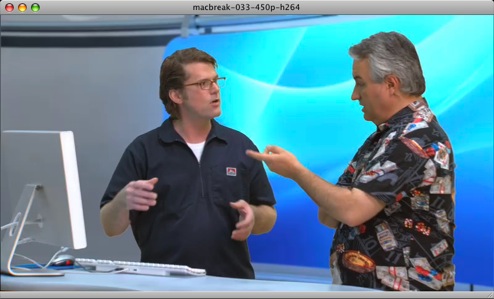
MacBreak 33: The Distracted Mac (Direct MOV Download) Although it covers a lot of the same ground as a previous MacBreak we did on the subject, I think Leo and my segment on un-distract-ifying your Mac turned out pretty good (my atrocious hairstyle at shoot time notwithstanding). Download 10:28 MOV file now… Here’s the apps and tricks that we covered, with links:
Edit 2006-12-21 16:51:22: Check after the cut for reader suggestions from comments for this post… Recommended by 43f readers in comments
57 Comments
POSTED IN:
![]() If you just want to...Submitted by John Remmers (not verified) on December 29, 2006 - 12:41pm.
If you just want to make the desktop black, there’s a simpler way than using Backdrop - just copy a solid black .png image to the folder “/Library/Desktop Pictures/Solid Colors/”, then choose it in System Preferences. See http://tinyurl.com/w6mqe for details and to download the .png file. » POSTED IN:
![]() @Mark Kraemer - thanks for...Submitted by Jeff (not verified) on December 21, 2006 - 10:36am.
@Mark Kraemer - thanks for tip. I’ve already been using the “Hide” feature along with ‘WindowShade X’ to turn the minimize button into a ‘hide’ button instead. I love that, but sometimes it is also nice to hide a window and still be able to bring it back with cmd-tab. Looks like Merlin’s response about LiteSwitch X might be what I was looking for. Generally speaking, I think Apple should do a bit more to help people switch from Windows. A few more options in System Prefs would probably do the trick. I’ve tried to get lots of people to switch and by far, the biggest obstacle is fear. And that comes after most of them say something, “I’d love to switch to a Mac, but…”. Apple seems more intent on trying to say the Mac is better and doesn’t do much to eliminate people’s fear of switching. A little off topic, but… does anyone have any tips for switching from Outlook on PC to Mail.app on mac? I’ve been using 2 laptops for a few months (PC and MacBook) and I’m finally ready to drop the PC but I haven’t been able to find anything to help with moving my thousands of email messages from Outlook into something else on the mac. My only idea is to use the Thnuderbird Outlook migration tool to move the mail from Outlook to Thunderbird on the PC and then maybe move it to the Mac. Not sure if it would work… » POSTED IN:
![]() One trick for making Witch...Submitted by Travis Jeffery (not verified) on December 22, 2006 - 10:11am.
One trick for making Witch (or LiteSwitch X) easier to adapt to and be more usable is to cancel OSX’s built in Command-Tab by using Pulltab http://www.ragingmenace.com/software/pulltab/index.html And then making Witch (what I use) or LiteSwitch X making Command-Tab. » POSTED IN:
![]() Is there something like Spirited...Submitted by PhoneBoy (not verified) on December 21, 2006 - 10:53am.
Is there something like Spirited Away for the PC? I’d love the auto-hiding of applications. The rest of the stuff I can do with either Microsoft’s PowerToys or just settings in Windows. » POSTED IN:
![]() I've come across a 'clutter...Submitted by Chris (not verified) on December 21, 2006 - 10:59am.
I’ve come across a ‘clutter fixer’ app that one-ups MenuShade —- menufela. Last time I played with MenuShade it (quite annoyingly imho) still reserved that space at the top of the screen. If you were to ‘turn off’ the menu you would simply make it black which, while limiting distraction now had the top pixels of my screen occupied by a black strip. If you’re screen is black is doesn’t look too goofy… but moving windows around the screen still has this strange ‘hands-off’ area at the top of the page.. Enter menufela from Ninja Kitten software. Like MenuShade of clears your desktop of the menu bar at the top but, unlike Menushade, this space becomes available desktop — so drag those windows to the tippy top of your screen until you hearts desire is filled. Need to see the manu? Just mouse to the top of the screen and the menu bar neatly slides down a la an autohide. Check it out — http://www.versiontracker.com/dyn/moreinfo/macosx/30322
» POSTED IN:
![]() I actually preferr DooDim, which...Submitted by John Arnor G. Lom (not verified) on December 21, 2006 - 11:25am.
I actually preferr DooDim, which basically does the same as coloring your background black, and hiding all other apps — only it doesn’t hide any apps… What it does is, it dims (and you decide how much) the area around the app you’re using, so it directs the focus to what you are doing, though still allowing you to see other apps… » POSTED IN:
![]() Merlin (Or anyone): Looking for an...Submitted by Sean Coffee (not verified) on December 21, 2006 - 1:11pm.
Merlin (Or anyone): Looking for an app that gets rid of… what’s it called, the title bar (?) at the top and bottom of an app. I work in Final Draft all day, and there’s no Full Screen mode (like in WriteRoom — which, writers out there — rules.) I’d love to write in an environment that looks just like a piece of paper on my screen. Mariner’s Montage has this feature, but in a professional environment, it’s not really ready for prime time quite yet. » POSTED IN:
![]() Megazoomer has gotta go on...Submitted by Patrick (not verified) on December 21, 2006 - 1:30pm.
Megazoomer has gotta go on this list! http://www.ianhenderson.org/megazoomer.html » POSTED IN:
![]() [...] Merlin’s got some great...Submitted by LifeDev - Keep Your Mac On Track (not verified) on December 21, 2006 - 2:41pm.
[…] Merlin’s got some great tips on how to keep your Mac from becoming distracting. A must-see for Mac productivity buffs. Filed under: Productivity on Dec 21,06 | Tags: focus, mac. […] » POSTED IN:
![]() @Jeff: Have you checked out Outlook2Mac...Submitted by Doug (not verified) on December 21, 2006 - 4:23pm.
@Jeff: Have you checked out Outlook2Mac at http://www.littlemachines.com/ » POSTED IN:
![]() I want to be sure...Submitted by Adam (not verified) on December 21, 2006 - 4:51pm.
I want to be sure WriteRoom is seconded: http://www.hogbaysoftware.com/product/writeroom . I love the big screen with nothing but a very nice looking font and my writing. To be honest, I never realized how distracted I was before this little app. » POSTED IN:
![]() Probably in emulation of the...Submitted by Craig (not verified) on December 21, 2006 - 6:33pm.
Probably in emulation of the aforementioned WriteRoom, the excellent word-processor Mellel has added full-screen mode in a relatively recent update. http://www.redlers.com/mellel.html » POSTED IN:
![]() Great video, thanks a lot....Submitted by Mark Howard (not verified) on December 21, 2006 - 7:00pm.
Great video, thanks a lot. One question: during the video, I caught a brief view of your desktop icons, where things like your computer icon displayed stats next to it, like hard drive space remaining, etc. How did you get it to do this? » POSTED IN:
![]() I use fast user switching...Submitted by DWizzy (not verified) on December 21, 2006 - 9:23pm.
I use fast user switching and two accounts: one for ‘fun’, one for Word. It works. » POSTED IN:
![]() [...] The adobic table of...Submitted by .. (not verified) on December 21, 2006 - 9:34pm.
[…] The adobic table of icons. […] » POSTED IN:
![]() @ Mark Howard ctrl click your...Submitted by Paul Walker (not verified) on December 21, 2006 - 10:04pm.
@ Mark Howard ctrl click your desktop and select ‘Show View options’ a palette will open allowing you to change where the labels are placed, and item info, and other stuff » POSTED IN:
![]() [...] Over 43folders Merlin Mann...Submitted by A distracting way to distraction-free « Sinecure (not verified) on December 21, 2006 - 10:14pm.
[…] Over 43folders Merlin Mann is suggesting a series of applications to minimise distractions in our macs. There are few productivity-sucking holes worse than downloading and testing new programs that are suppossed to make you more efficient and effective. From my point of view, this is a cosmetic approach to productivity, with a fascination for tools over effectiveness. I think that changing behaviours is much more powerful than a few pieces of software; however, it is also possible avoiding distractions reducing the amount of eye candy by not using many features provided by a computer (and not requiring any new programs either). […] » POSTED IN:
![]() For completely blissful writing in...Submitted by Dan Brendstrup (not verified) on December 22, 2006 - 1:03am.
For completely blissful writing in Pages (or any other Cocoa word processor), install Megazoomer, hit cmd-enter to zoom your Pages document to fullscreen and then optionally hit ctrl-alt-cmd-8 (10.4.8 required, I think) to switch to white text on black background. Aaahh… That last little trick is a new Universal Access innovation on Apple’s part, but it rocks for quickly switching to a less distracting writing environment. Added benefits are less writer’s block, since staring at an empty black screen is somehow not as bad as staring at an empty white screen — and if you’re running on battery power, you’ll be able to write for longer since the black screen uses less power. » POSTED IN:
![]() There is a very handy...Submitted by Sarunas Vancevicius (not verified) on December 22, 2006 - 1:48am.
There is a very handy trick with the Dock, hide it behind the menubar. The details are here: http://www.macosxhints.com/article.php?story=20040423170608616 Another handy program is Afloat http://millenomi.altervista.org/Afloat/ which allows you to make Cocoa windows transparent. » POSTED IN:
![]() I don't know what my...Submitted by Greg (not verified) on December 22, 2006 - 2:31am.
I don’t know what my issue is, but in Pathfinder 4.6.1 (command + j) does not give me the desktop view options. It only gives me view options for pathfinder itself. I’d like to hide my drives on the desktop. I checked the help files for pathfinder and it’s perfectly inline with Merlin’s description on MacBreak. Does anyone know what I’m doing wrong? » POSTED IN:
![]() Answered my own question. ...Submitted by Greg (not verified) on December 22, 2006 - 2:38am.
Answered my own question. I was not using pathfinder for the desktop. That makes a big difference. » POSTED IN:
![]() One thing I'd like to...Submitted by Steve Peter (not verified) on December 22, 2006 - 3:54am.
One thing I’d like to see is the ability to set a delay for the dock to pop up when you have it hidden. If I put the dock on the right, it pops up when I mouse over for palettes in PS or scrollbars in general, and if I have it at the bottom, it pops up when I mouse over to use the pop-up menus in TextMate and other apps. None of this would be a problem if I could tell the dock not to pop up immediately. » POSTED IN:
![]() Merlin has coverd both of...Submitted by Drew (not verified) on December 22, 2006 - 4:14am.
Merlin has coverd both of these SIMBL plugins, but I have found that Safari Stand and Mega Zoom create a very nice distraction free browsing environment. I first hide the bookmarks bar (cmd + shift + B) and have the always show tab bar preference unchecked. I then go into Mega Zoom (I set it to cmd + ctrl + x in the keyboard shortcuts preference pane for all applications) before I open any tabs. I then go to all the websites I want to view and hide the address bar (cmd + |). I have a screenshot at http://www.flickr.com/photos/20096299@N00/329462504/ and I promise that is my whole screen. » POSTED IN:
![]() The dock is a continual...Submitted by Tim Rueger (not verified) on December 22, 2006 - 4:57am.
The dock is a continual distraction for me, getting in the way of my getting things done. But I can’t kill it altogether, because it has a couple useful things. Enter KnockoutDock (versiontracker link): http://www.versiontracker.com/dyn/moreinfo/macosx/23495 It shrinks and hides the dock just below the menu in the upper right of the screen. You can expose it with the usual Ctrl-F3, but now it stays out of the way until called for. » POSTED IN:
![]() Or you could just switch...Submitted by Hob Gadling (not verified) on December 22, 2006 - 5:06am.
Or you could just switch to Windows and use the Maximize button…. (Sorry couldn’t resist) » POSTED IN:
![]() I have MenuShade installed but...Submitted by Evan (not verified) on December 22, 2006 - 6:34am.
I have MenuShade installed but if I restart my computer it does not load. In the options menu I can’t find any auto startup choices. If I have to run the program every time I just won’t use it. Anybody know how to have MenuShade start when my compy G5 starts up? » POSTED IN:
![]() [...] I ran across a...Submitted by this year. » Blog Archive » minimize distraction (not verified) on December 22, 2006 - 7:29am.
[…] I ran across a similar desktop setup when I was working on a Windows system, and am glad to see a simple setup that works on the Mac. With only a few applications it is easy to remove all the distractions from your desktop so you can focus on the work at hand. Check out the video from the MacBreak starring Merlin Mann of 43folders. […] » POSTED IN:
![]() "Or you could just switch...Submitted by Sean Coffee (not verified) on December 22, 2006 - 7:34am.
“Or you could just switch to Windows and use the Maximize button….” While we’re blaspheming, Word has always had a “white type, blue page” preference that I’ve always found much less distracting (although it’s very “computery” — really makes you feel like you’re in the word processing department in a law firm circa 1989.) And just wanted to add: Way to go, Merlin! Thanks for the heads up! Used Backdrop and Window Shade while I was writing this morning, and it really makes a difference. » POSTED IN:
![]() Sorry for posting so much....Submitted by Sean Coffee (not verified) on December 22, 2006 - 7:42am.
Sorry for posting so much. Wanted to add a couple more thoughts: • Final Draft, apparently, is not a cocoa app — doesn’t work with Mega Zoomer. So, note to FD developers: Full Screen mode! (coughMontage has itcough) • I personally can’t stand the “reverse mode” in OS X. White type on black is all well and good, but when everything else reverses out too — it just looks like my monitor’s off, with the orange scroll bars and all. » POSTED IN:
![]() your blog is so insightful! ...Submitted by katie (not verified) on December 30, 2006 - 5:56pm.
your blog is so insightful! » POSTED IN:
|
|
| EXPLORE 43Folders | THE GOOD STUFF |