MacBreak: Minimize distractions on your Mac

MacBreak 33: The Distracted Mac (Direct MOV Download)


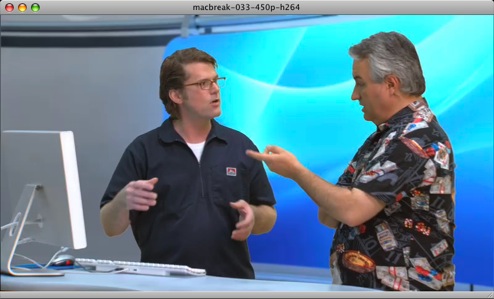
Although it covers a lot of the same ground as a previous MacBreak we did on the subject, I think Leo and my segment on un-distract-ifying your Mac turned out pretty good (my atrocious hairstyle at shoot time notwithstanding). Download 10:28 MOV file now…

Here’s the apps and tricks that we covered, with links:

  • Hide Others - In the front app, select “[Application name menu] > Hide Others
  • Turn [Dock] Hiding On - In the Dock, CTRL-Click the Dock’s vertical separator bar, and select “Turn Hiding On
  • Backdrop - Create a black background that still lets you easily interact with Desktop contents
  • MenuShade - Alter the brightness of your Menu – or totally black it out, like I do
  • Spirited Away – Hides non-active applications after the interval of your choice (thanks for the legacy download link, Don)
  • Path Finder - Totally tricked out Finder on steroids that I love love love; where I made the Desktop black and hid all mounted drives, folders, etc. (doable in the regular Finder, too)
  • Hazel - Automagically clean up the contents of folders and the Desktop (e.g., “move old MP3s here” or “archive files older than a week” etc.)
  • Textmate - My favorite text editor. Which I apparently love to plug for no particular reason.

Edit 2006-12-21 16:51:22: Check after the cut for reader suggestions from comments for this post…

Recommended by 43f readers in comments

  • Witch - “Witch lets you access all of your windows by pressing a shortcut and choosing from a clearly arranged list of window titles…”
  • Desktopple - “With Desktopple, you can quickly and easily hide all of your Desktop clutter.”
  • LiteSwitch X - Merlin’s fave app switcher; handy also for quitting, hiding, or restarting apps without changing focus
  • [unsanity] WindowShade X - Hack control of your Finder Windows
  • Menufela - “Menufela is a haxie that lets you hide away the menubar and/or get rid of the spotlight menu item.”
  • Doodim - “Doodim permits one to dim the background of the foremost application thereby enhancing its visibility.”
  • ianhenderson.org - megazoomer - “Megazoomer makes windows full-screen. ”
  • WriteRoom | Hog Bay Software - “WriteRoom is a full screen, distraction free, writing environment.”

I actually preferr DooDim, which...

I actually preferr DooDim, which basically does the same as coloring your background black, and hiding all other apps — only it doesn’t hide any apps…

What it does is, it dims (and you decide how much) the area around the app you’re using, so it directs the focus to what you are doing, though still allowing you to see other apps…