Merlin’s weekly podcast with Dan Benjamin. We talk about creativity, independence, and making things you love.
First Look: Evernote for the iPhone
Merlin Mann | Jul 10 2008
(Oh, man. I’ve got a crazy busy day today, but it just got a lot busier thanks to an intoxicating morning with the iPhone 2.0 update and the iTunes App Store. I’ll try and sneak in a few little posts today on the amazing new apps as time permits) Evernote (iTunes App Store Link)
I need to do a full post on [Evernote](Evernote](http://www.evernote.com/) here some time soon, because it really is a nifty little application for collecting, storing, and organizing practically any kind of information you can throw at it. The iPhone version is a stripped-down, all-business version of the app that will scratch an itch for Evernote fans who are fatigued by having to email everything to the mothership.
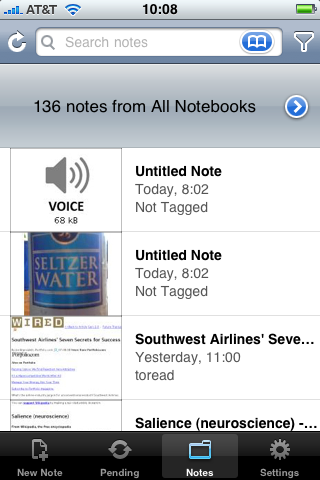
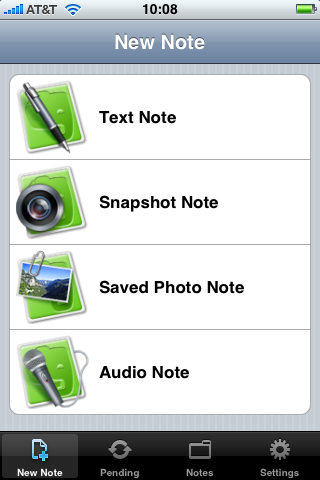
More after the jump, including how to take screengrabs like this on your iPhone 2.0... The Evernote iPhone app is crazy-simple to use, and rightfully focuses on mobile capture. Photos, voice, and text can be sent directly into your Big Evernote Database -- including the handy inclusion of location data which will show up in Evernote as Lat/Long, all thanks to iPhone's 2.0 location magic (and yes: the location stuff works fine without GPS; I do wonder how that will affect sales of what's starting to look like a costly 3G iPhone I can personally do without).
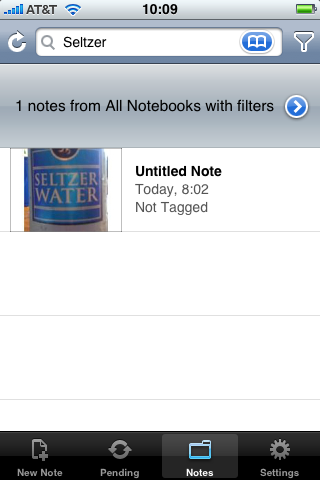
You can also access your existing stuff in browsable list form, or by searching, And, yes, once the photo you take in Evernote has synced with the EN site, the OCR makes any readable text in the image searchable from the iPhone app. Very nicely done.
Cool New iPhone Feature: Built-in Screen CaptureNota frickin' bene: How did I get screengrabs on an uncracked 2.0 iPhone? Easy. Click the Home button and the top (Power) button at the same time to capture a PNG of the current screen to the Photo Viewer (grabbable later via iPhoto). Hat tip to Jason Snell for this awesome little bit of magic. 11 Comments
POSTED IN:
About Merlin Bio Merlin Mann is an independent writer, speaker, and broadcaster. He’s best known for being the guy who created the website you’re reading right now. He lives in San Francisco, does lots of public speaking, and helps make cool things like You Look Nice Today, Back to Work, and Kung Fu Grippe. Also? He’s writing this book, he lives with this face, he suffers from this hair, he answers these questions, and he’s had this life. So far. Merlin’s favorite thing he’s written in the past few years is an essay entitled, “Cranking.”
|
|


| EXPLORE 43Folders | THE GOOD STUFF |


