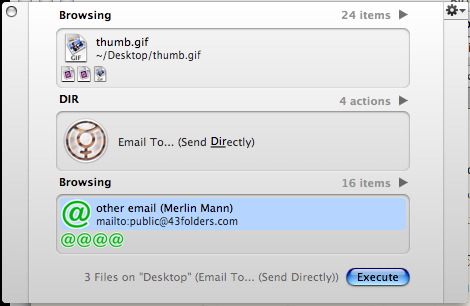
 I’m still encountering folks who are big-time Quicksilver fans who don’t know about “The Comma Trick,” so check it out: when you’re using the first (and often the third) pane in Quicksilver, you can hit “,” (comma, with no modifier key) at any time to add the currently selected item to a working stack. Go ahead and try it. (important: The Comma Trick only works if you’ve chosen "Advanced Features: Beta" in “Preferences: Application??? and the “Primer” or “Bezel” command interface in “Preferences > Appearance”—switch if you need to and restart QS)
- Invoke Quicksilver (
CTRL-Space by default) - Use QS to navigate to your
~/Documents folder (or wherever a bunch of small documents live) - Select a text file or a Word doc or what have you (don’t grab anything too huge for now)
- Type “,” (that’s a comma)
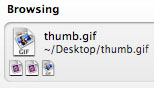
- The icon in the pane should “scooch up” a little and the icon for the selected item now appears in miniature format below its name
- Select another file (again, any small file will do), and, again, type “,”
- The icon for the item you added should now also appear next to the icon for the first item
- Repeat steps 3-4 a couple more times on random small documents
- When you’re done making your stack,
TAB over to the second pane, and type til you get “Copy to…” TAB over to the third pane and type until “Desktop” shows up- Hit
Return - All the files you’d added in the first pane should now be copied to your Desktop
Now consider a few possibilities of “The Comma Trick”
- Makes it easy to select a bunch of items from all over your Mac without a lot of extraneous clicking, drill down, or temp folders
- Add a bunch of bookmarks to the stack, hit
Enter, and they’ll open all at once in your browser (in handy tabs if you have that enabled) - Select a bunch of coworkers from your Address Book and you can mail them one or more files (and without even opening Mail.app). See image above for how that looks.
This is the kind of functionality that illustrates why QS is so far ahead of the Finder in many respects. If you’ve used QS for a while, and it’s watched where your favorite paths are, “the Comma Trick” makes the typical “click-click-click-click-click-…” Finder interaction seem kind of nutty.
Got a novel usage for The Comma Trick?