43 Folders

43 Folders feed subscription icon - Shiny! Drowning in email? Try Inbox Zero to learn sane tips for dealing with high-volume email. And don’t miss the free Inbox Zero video. »

Login or register

Register for free on 43 Folders to comment on articles, post to our forum, customize your visits, and much more. Current users can login now.

Full screen mode update: Close enough

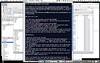
FSM - Before

As an update to my previous post about wishing full-screen mode were more ubiquitous, I wanted to share a combination of apps and tips that’s been working well for me (thanks in part to the great comments over in that thread).

Tools you’ll need

  • MenuShade - App that dims the blaring Menu bar at the top of the screen
  • SpiritedAway - App that automatically hides inactive applications after n seconds of your choosing
  • BackDrop - App that adds an image or solid color “between” the current/focal application and the Desktop. Designed for taking cleaner screen grabs, but ideal for hiding all those clickable icons

Setting up

FSM - After

  • launch all three of your new apps
  • hide the Dock by selecting “Turn Hiding On” (in the Dock Preferences)
  • set your preference in MenuShade — I suggest you crank the “Shaded Brightness” far as you can stand to the right (completely hiding the menu bar until you mouseover)
  • set SpiritedAway to clear inactive apps quickly (mine is set to 60 seconds)
  • set Backdrop to “Display: Color” and pick black (or another very dark color)
  • in the pulldown menu of SpiritedAway, add “Backdrop” to the list of “Excluded” applications (this ensures SA doesn’t, in fact, spirit your solid background away)
  • open a single document in the app of your choice (and optionally close all configuration windows, palettes, etc.)

Ta-da. A serviceable full screen mode for minimizing distraction and the myriad attractive nuisances in your world. Maybe not as fancy as the built-in functionality in MacJournal, DevonThink, or Ulysses, but close enough for government work — and usable across the range of apps in your life.


3 Comments

Comment viewing options

Select your preferred way to display the comments and click "Save settings" to activate your changes.
R e a l - i t y . c o m v 3.1337's picture

[...] Full screen mode update:...

[…] Full screen mode update: Close enough | 43 Folders (tags: macsoftware) […]

Full screen mode at Textworker's picture

[...] Oh, one sweet day...

[…] Oh, one sweet day even Mellel will go full screen. But until then you either take Ulysses or Jer`s Novel Writer… or try some tricks. [Link] […]

Venera7.com » Blog Archive » Evitando el NADD en's picture

[...] Merlinman, de 43Folders, acaba...

[…] Merlinman, de 43Folders, acaba de escribir un post excelente sobre cómo conseguirlo de una manera realmente eficiente gracias a una combinación de herramientas para Mac que lo hacen posible (no tengo ni idea de cuáles serían las equivalentes en Windows). La idea es tener la ventana de la aplicación en la que estás trabajando y nada más, en un escritorio en que todo (dock, barra de opciones y fondo) han desaparecido para no introducir ninguna distracción visual. Él lo llama el “Modo pantalla completa”, y ya ha escrito sobre él antes. El concepto y en sí y cómo aplicarlo me parecen excelentes, y lo que me propongo es resumirlo aquí en castellano. […]

 
EXPLORE 43Folders THE GOOD STUFF

An Oblique Strategy:
Discard an axiom


STAY IN THE LOOP:

Subscribe with Google Reader

Subscribe on Netvibes

Add to Technorati Favorites

Subscribe on Pageflakes

Add RSS feed

The Podcast Feed

Inbox Zero

The original 43 Folders series looking at the skills, tools, and attitude needed to empty your email inbox — and then keep it that way. Don’t miss the free video of Merlin’s Inbox Zero presentation.

Get Started with ‘GTD’

David Allen’s popular productivity book and the system on which it’s based help turn ‘stuff’ into actions that support valuable outcomes.