Merlin’s weekly podcast with Dan Benjamin. We talk about creativity, independence, and making things you love.
Introducing the Hipster PDA
Merlin Mann | Sep 3 2004
This article was originally posted during the first week of 43 Folders' existence, and, pound for pound, it remains one of the most popular page on the site. Please be sure to also visit related pages, browse our Hipster PDA topic area, plus, of course you can search on the Hipster PDA across our family of sites. Recently, I got sick of lugging my Palm V around, so I developed a vastly superior, greatly simplified device for capturing and sharing information. I call it “The Hipster PDA.” Beauty & Simplicity
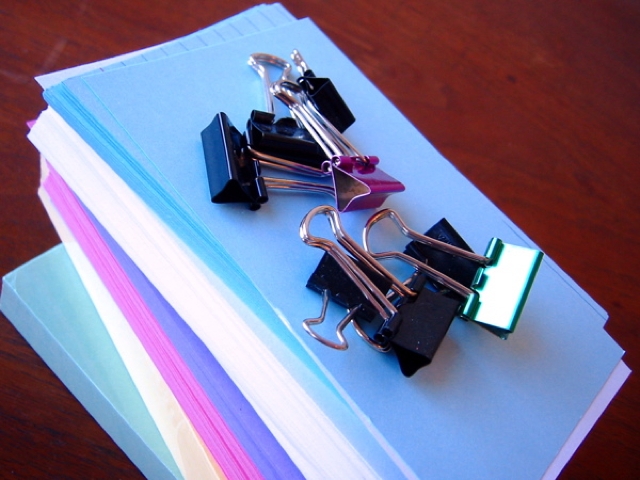
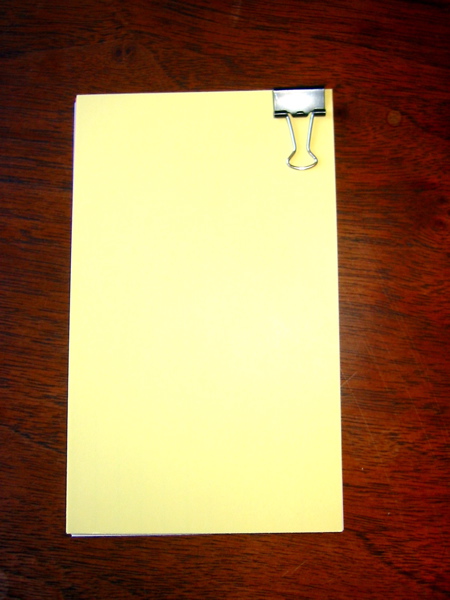
The Hipster PDA (Parietal Disgorgement Aid) is a fully extensible system for coordinating incoming and outgoing data for any aspect of your life and work. It scales brilliantly, degrades gracefully, supports optional categories and “beaming,” and is configurable to an unlimited number of options. Best of all, the Hipster PDA fits into your hip pocket and costs practically nothing to purchase and maintain. Let’s make one together. Building your first Hipster PDA
Settings & Preferences
For you hotrods who like to tweak your equipment, I’ll note a few mods you might make to the basic configuration.
“Getting Things Done” with your Hipster PDA
When you get back to the office or home (wherever your physical inbox resides), you can toss all your new notes into the pile and process them like you would any other incoming items. Alternatively, you can base a whole GTD system around index cards, sorting them into piles for “Next Actions,” “Waiting,” “Sometime,” and so on. Whatever works for you. Hipster PDA: Related 43F Links
The Hipster PDA elsewhere
Hipster PDA Supplies
155 Comments
POSTED IN:
 Not that anyone is still...Submitted by Dranore (not verified) on December 16, 2004 - 7:37pm.
Not that anyone is still reading this... but I just "built" one of these. If I like it, I'll go with the custom paper idea. So far I've made a few slight changes. 1) Graph paper cards instead of standard ruled or blank cards. Lines both ways and provide a handy grid for any diagrams one might wish to throw down. 2) A larger clip. You loose a little bit more space using a large clip, but one can then pop a rubber band on to the clips in the up position and attach a Space Pen right to the top. I've got mine just to the right at the top like the one in your pic. This way, if you slide the pen in from the right, you can pull the pen out and the clip on the pen hits the paper clip which holds the cap in place. I know that sounds odd... but it's quite handy. It means you can pop the pen in and out without any fuss. I find it handy. I also intend to use more cards, so the bigger clip is nice. Now all I need is a nice thick piece of cardboard at 3x5 for a nice divider/backing. Which would be change 3... just hasn't happened yet. » POSTED IN:
|
|

| EXPLORE 43Folders | THE GOOD STUFF |


