Merlin’s weekly podcast with Dan Benjamin. We talk about creativity, independence, and making things you love.
Path Finder: More than a Finder replacement
Merlin Mann | Dec 28 2006
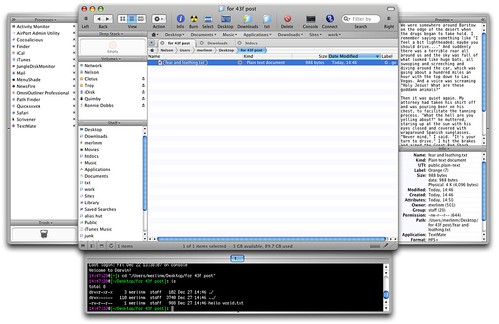
Given the comments and emails I receive whenever I use Path Finder in a demo, it's clear to me that people are hungry for ways to improve and customize their stock Finder. PF's appearance in my latest MacBreak has been no exception. So, for folks that haven't heard my pimping before or who haven't been following the recent additions to the inarguably crufty uber-app, here's a tricked-out Path Finder window, showing the new tab functionality, plus all the optional drawers, tchotchkes, and finials that can be displayed.
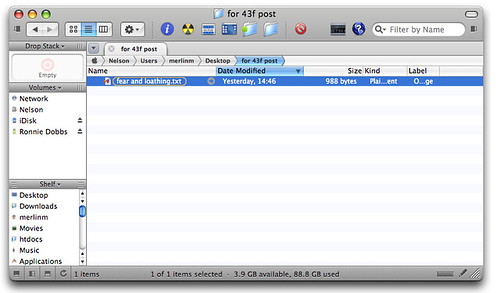
For more on why I dig Path Finder, read 7 things I like about Path Finder for OS X. And be sure to check back soon on MacBreak (HD 1080 Podcast feed); Leo and I have a segment on Path Finder that should be airing soon. Addition 2006-12-28 10:31:43 Neil makes a great point in comments. I have this terrible habit of only ever showing Path Finder with all of its features on, and all its optional frippery enabled. In fact, PF needn't look like a functional salad bar at all, and the enclosed is closer to how I configure it for my own everyday usage.
Thanks, Neil. 20 Comments
POSTED IN:
 Steve, I currently use it...Submitted by Dave M. (not verified) on January 2, 2007 - 5:56am.
Steve, I currently use it "with" the Finder. DragThing will use PF instead of Finder when opening disks and other folder links, when configured to do so. I personally still dump files on the desktop, but the Drop Stack is a great way of moving files from one location to another. It's like an iClip for files. It's jam packed full of useful things that I almost can't live without. PathFinder doesn't really help you organize your files any easier than the Finder does. You still need to do that on your own. PF just makes it easier to deal with the file structure you come up with. » POSTED IN:
|
|

| EXPLORE 43Folders | THE GOOD STUFF |


